
Hub Elementor - Shipping Progress for WooCommerce
Shipping Progress allows you to display a dynamic message that shows customers how much more they need to spend to qualify for free shipping. The progress bar can appear in supported cart areas, such as the header cart and the cart page.
Steps:
- In the WordPress dashboard, go to Theme Options > WooCommerce > General.
-
Enable the Shipping Progress option.
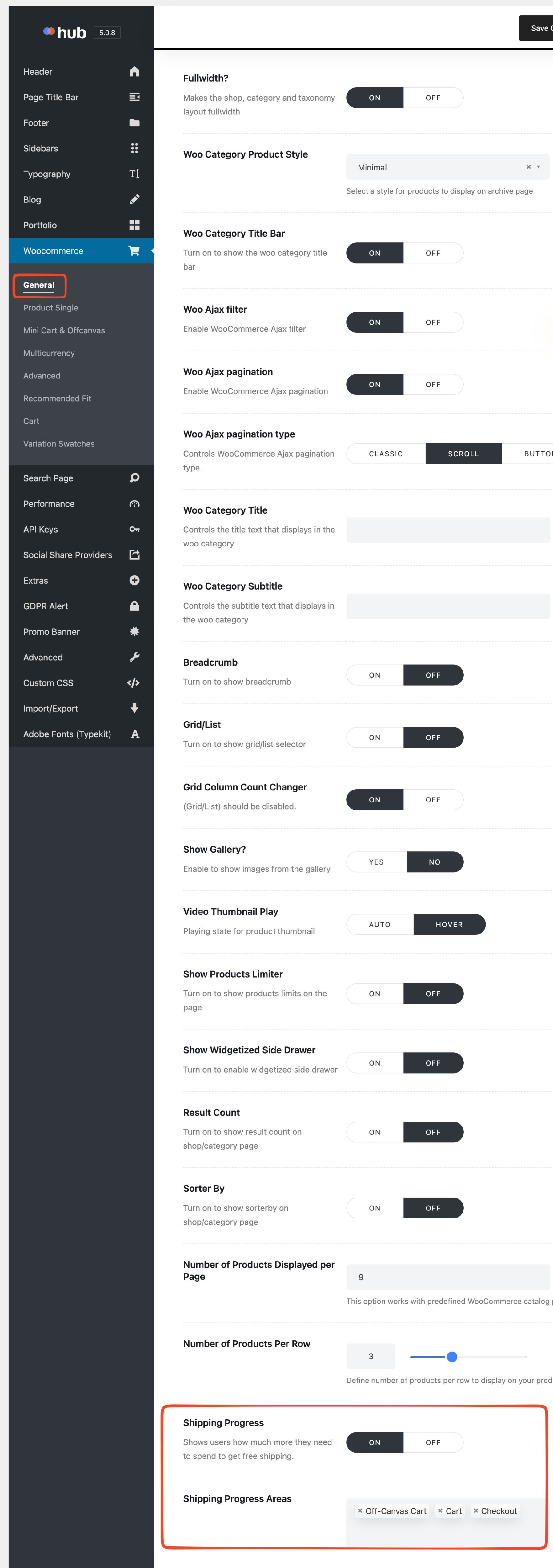
- Select the desired options under Shipping Progress Areas to define where the bar will be displayed.
- Go to WooCommerce > Settings > Shipping.
- Add a new shipping zone if one does not already exist.
-
Add a Free shipping method to the zone and set A minimum order amount as the condition.
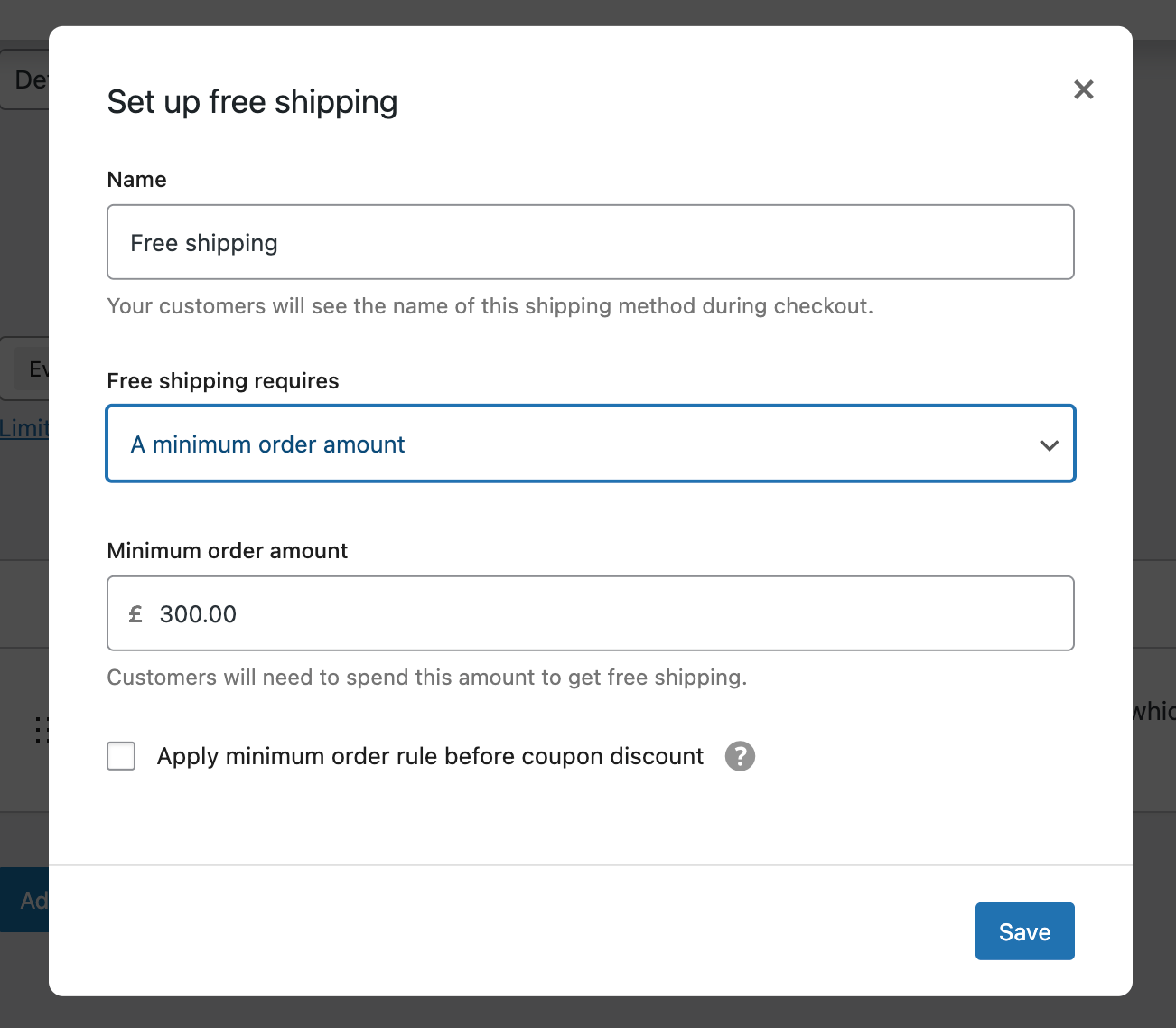
- Enter the minimum order amount and save your changes.
Result:
Customers will see a progress bar indicating how much more they need to spend to receive free shipping in the selected cart areas.


Troubleshooting:
-
Shipping Progress does not appear on the cart page:
Ensure you are using the classic WooCommerce cart page with the
[woocommerce_cart]shortcode. The block-based (Gutenberg) cart is not supported.