
Hub Elementor - Recommended Fit for Products (WooCommerce)
Recommended Fit allows you to display a fit indicator bar on the single product page. It helps customers understand which size or fit is recommended for a specific product.
Steps:
- In the WordPress dashboard, go to Hub > Theme Options > WooCommerce > Recommended Fit.
- Enable Recommended Fit.
-
Click Add to create a new recommended fit item.
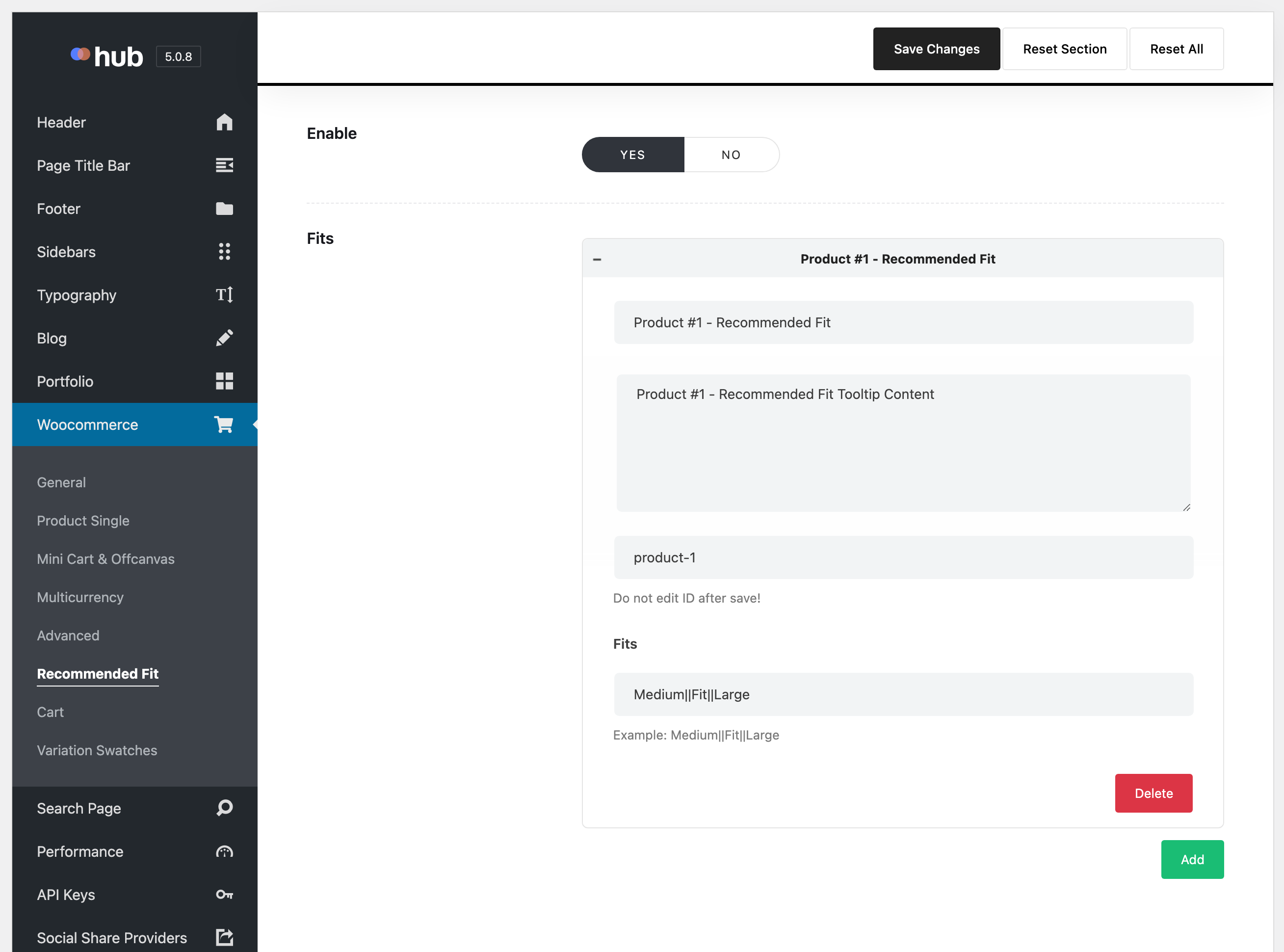
- Enter a value in the Title field.
- Enter a value in the Description field.
- Enter a unique value in the ID field.
- Enter fit labels in the Fits field, separated by
|(for example:Medium|Fit|Large). - Click Save Changes.
- Go to Products > All Products.
- Open a product for editing.
-
Scroll down to the Product Options panel.
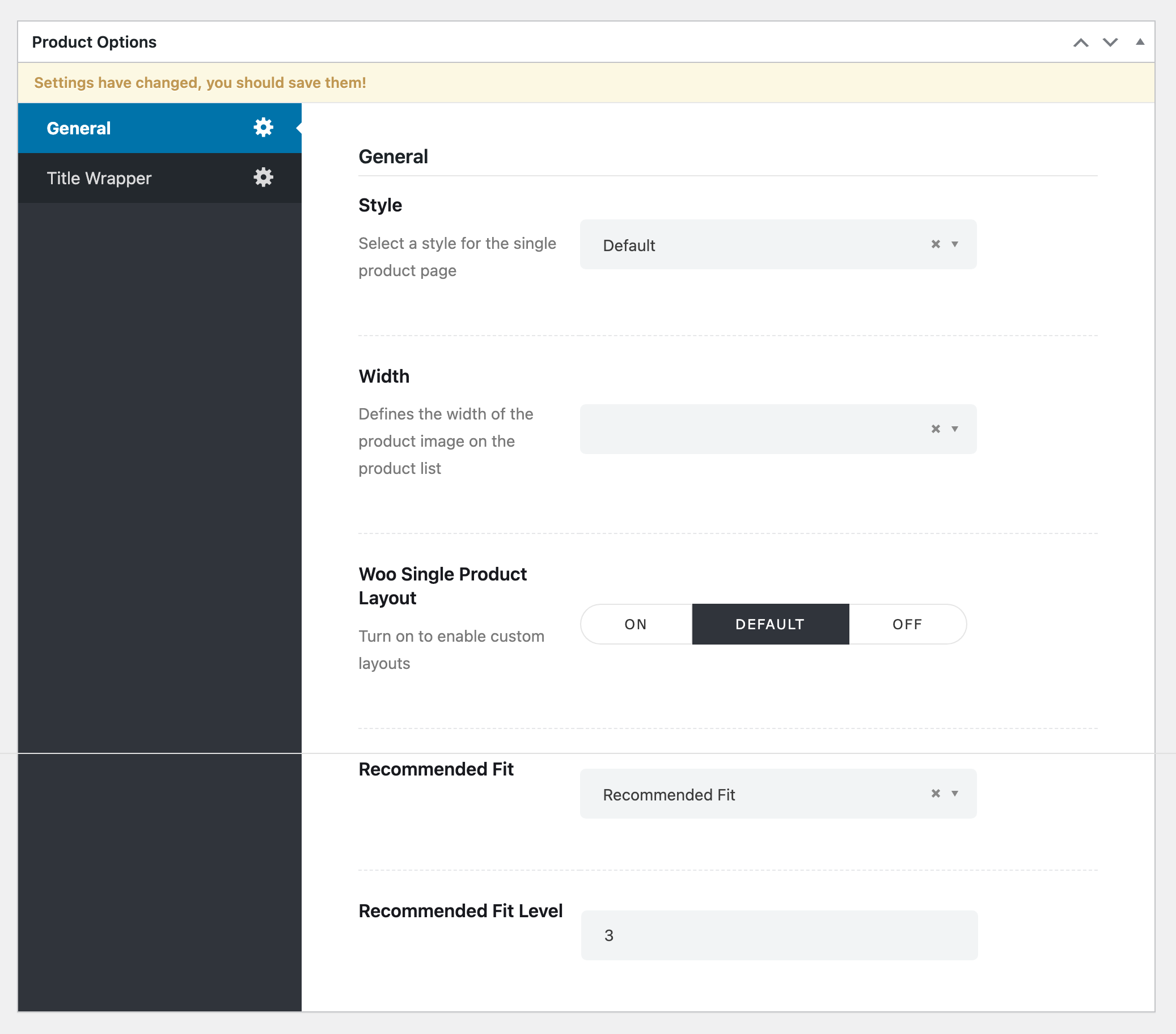
- From the Recommended Fit dropdown, select the recommended fit you created.
- Enter a numeric value in the Recommended Fit Level field.
- Click Update.
Notes or Tips:
- One recommended fit item can be reused across multiple products.
- Do not change the ID value after saving the recommended fit item.
Result:
The selected product will display a Recommended Fit bar on the single product page, indicating the suggested fit level to customers.
