
Hub Elementor - Multicurrency (WooCommerce)
The Multicurrency feature allows visitors to change the currency used for WooCommerce product prices. This is useful for international stores that want to display prices in multiple currencies. The currency switcher is added to the header using a Hub header element.
Steps:
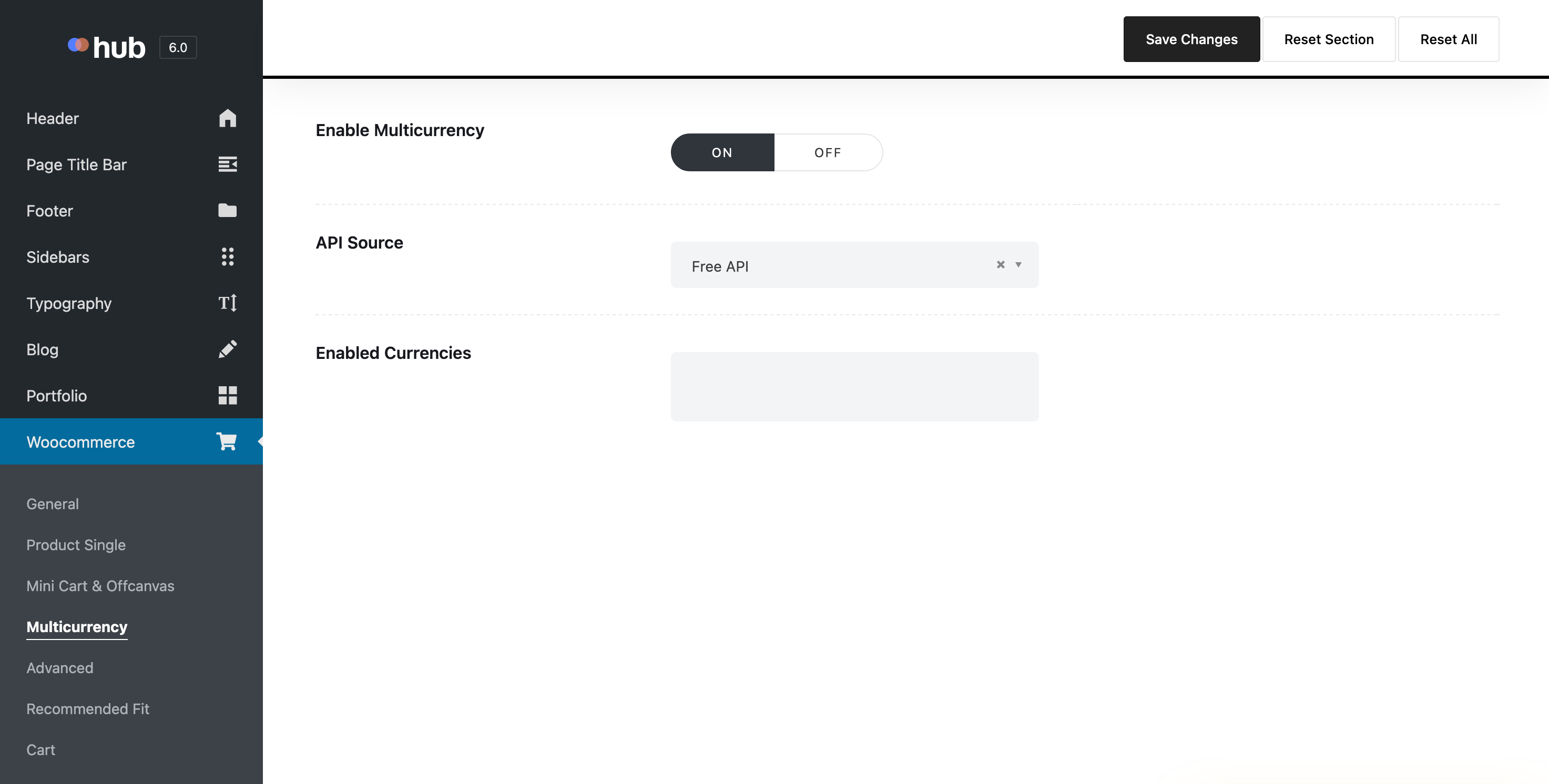
- Go to Hub > Theme Options > WooCommerce > Multicurrency.
-
Enable multicurrency and select your API source. Multicurrency has two API source options: Free and Paid (Fixer.io).
You can claim your API key for Fixer.io here: https://fixer.io/signup/free
-
Select the currencies you want to display under Enabled Currencies.
- Click Save Changes.
- Go to Liquid Templates > Headers.
- Open your header template with Elementor.
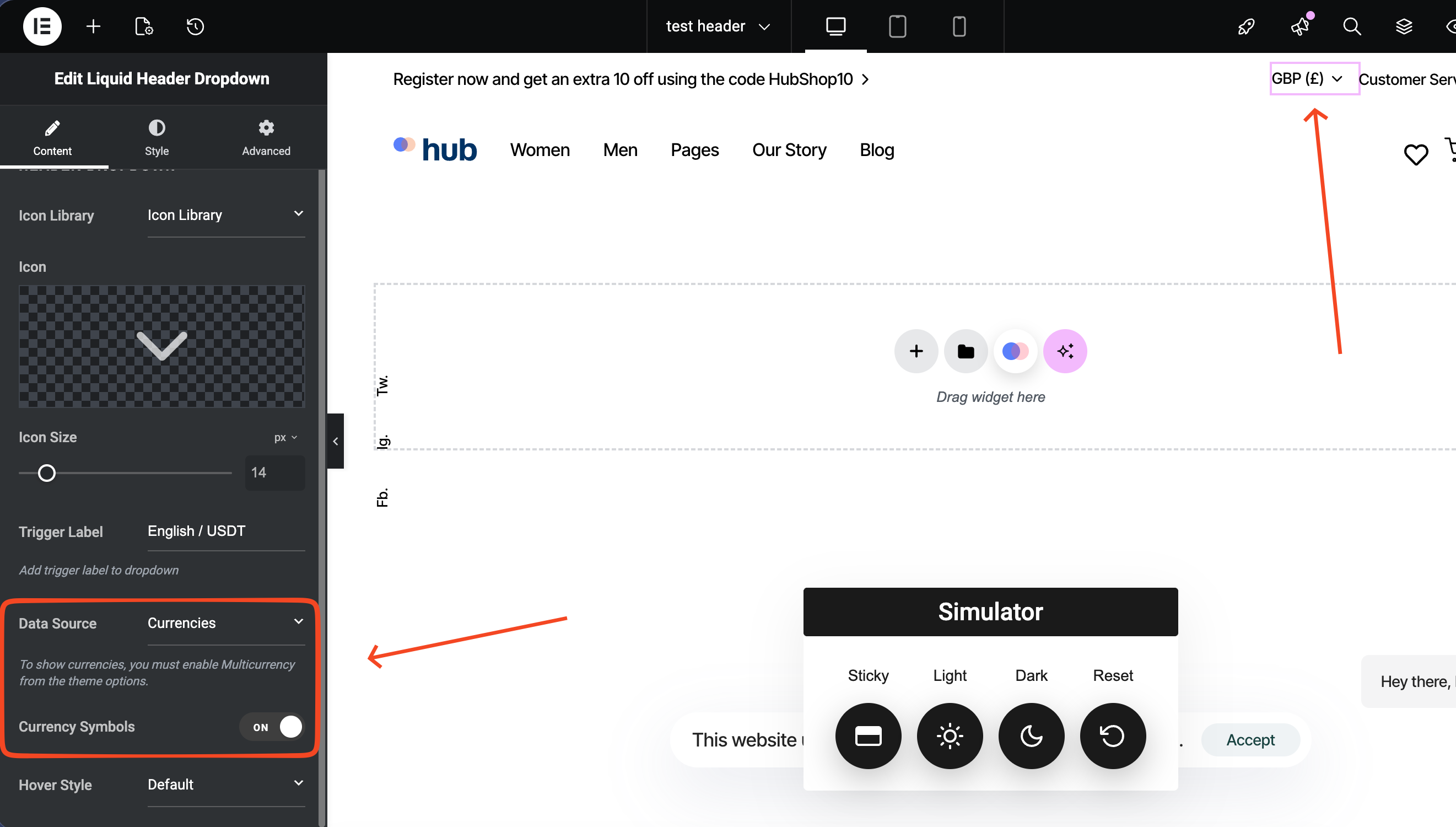
- Add the Liquid Header Dropdown element to the header.
- In the element settings, set Data Source to Currencies.
-
Optionally, enable Currency Symbols.
- Click Publish.
Notes or Tips:
- Multicurrency works only if WooCommerce is installed and active.
- Only currencies selected in Theme Options will appear in the dropdown.
- If you are selected the Paid version (Fixer.io), you sould add your API key to the Hub > Theme Options > API Keys > Fixer.io API Key.
Result:
A currency selector will appear in the header, allowing visitors to switch product prices between the enabled currencies.
Troubleshooting:
-
Currencies do not appear in the dropdown:
Make sure Multicurrency is enabled in Hub > Theme Options > WooCommerce > Multicurrency and at least one currency is selected.