
Hub Elementor - Live Search (Ajax Search)
Live Search (Ajax Search) displays search results instantly below the search input as users type. This feature is configured in header templates using the Liquid Header Search element.
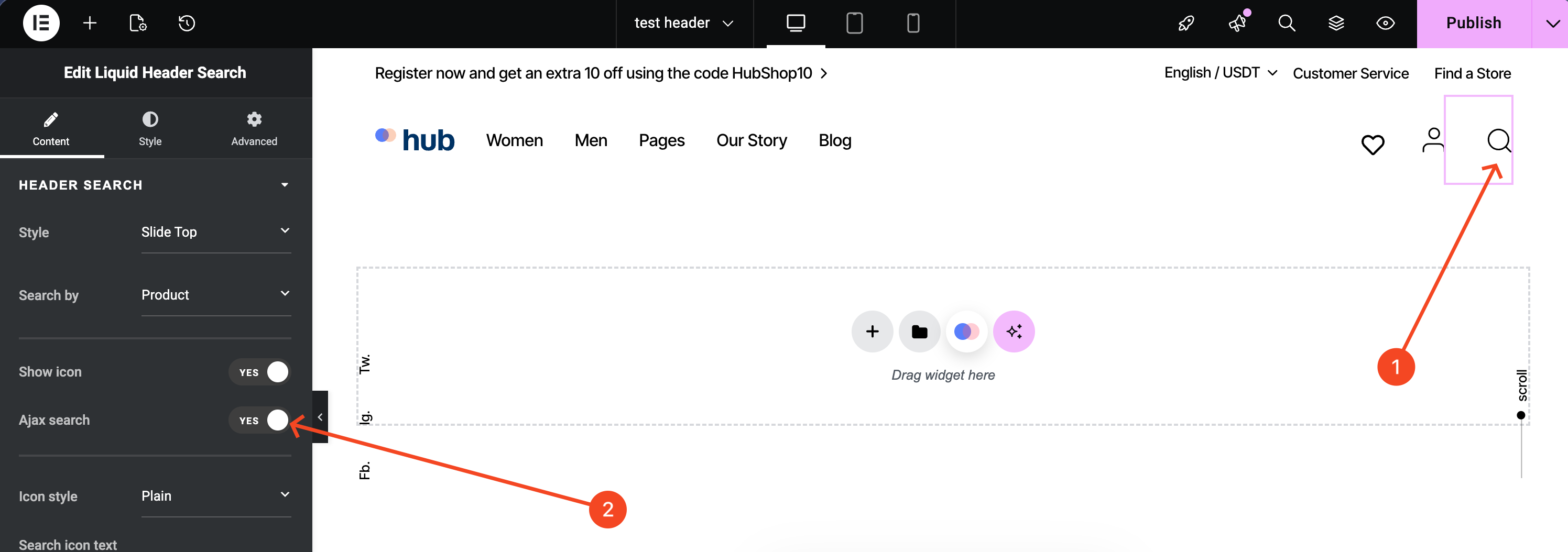
Steps:
- In the WordPress dashboard, go to Liquid Templates > Headers.
- Open a header template with Elementor.
- Add the Liquid Header Search element to the header if it is not already present.
- Click the Liquid Header Search element.
- In the Content tab, set Ajax search to Yes.
- Set Search by to choose what content type appears in the live search results.
Result:
Visitors see search results appear instantly below the header search field without a page reload.
Troubleshooting:
-
Product results do not appear:
WooCommerce is not installed or activated, or Search by is not set to Product.